

Spatial sound in my podcasts
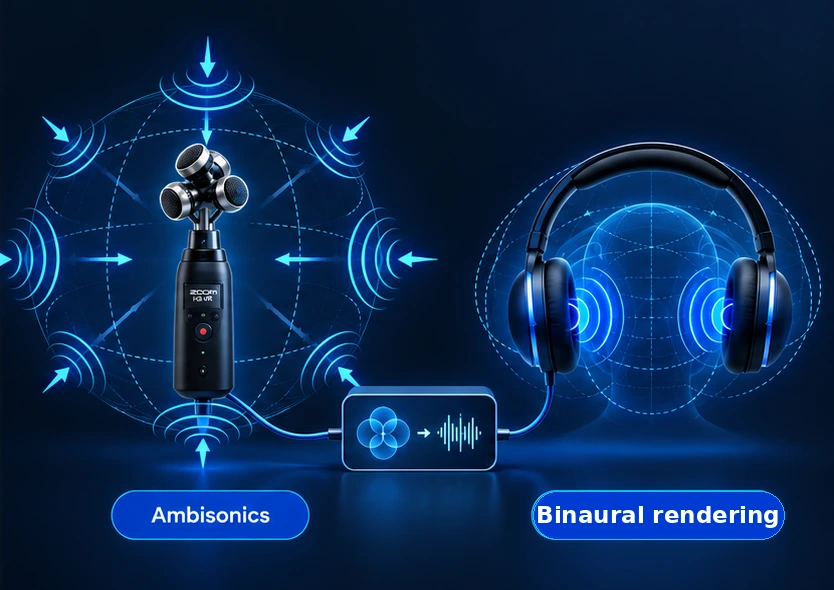
3D audio lets you experience sound as though it's happening all around you. To achieve this, I use Ambisonics in my podcasts. This technique captures sound from every direction. During editing, I can adjust the listening direction afterwards to create the best possible listening experience.
Using binaural audio technology, I make these recordings suitable for ordinary headphones. You can experience sounds not just to your left and right, but also in front of you, behind you or above you.
To share my recordings independently, I developed my own 3D Audio Player. Here, you can change the listening direction yourself and discover what spatial sound can do.
Open the 3D Audio Player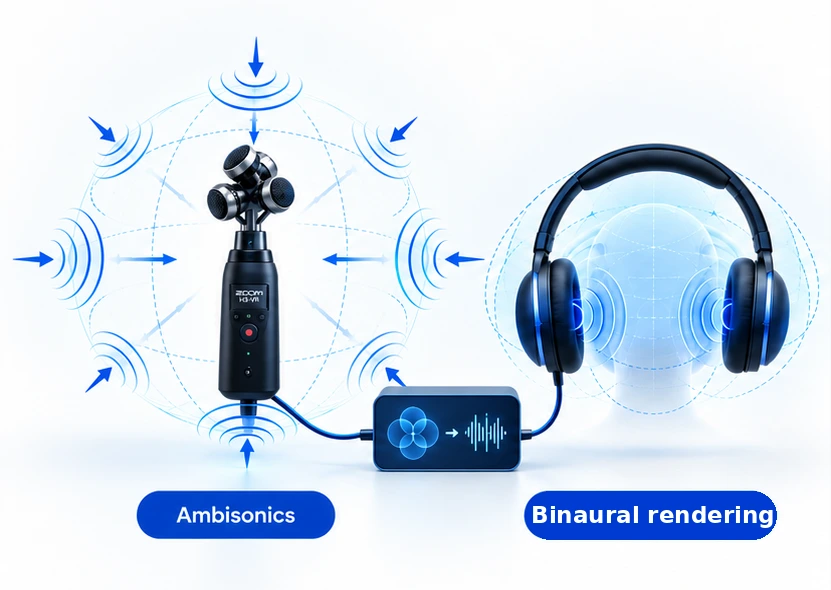
Discover the latest sounds
Why does this player exist?
When I bought my first 3D recorder, I discovered something fascinating. I could listen back to my recordings and choose which direction to listen in simply by turning and tilting the recorder. It felt as though I was back where I'd made the recording. Sometimes I even lost my sense of direction while standing in my living room. Absolutely brilliant!
But I didn't want to have to listen to every recording on that device. And I wanted to share the experience with others. That turned out to be harder than expected. There are various platforms for playing spatial audio, but I wanted to share my recordings independently, without being tied to the terms and conditions of an external platform.
I could, of course, make a binaural stereo version. That would preserve the spatial experience, but listeners would no longer be able to change the direction themselves. And that was exactly what I loved about it.
So, inspired by a friend, I decided to build my own player with the help of AI. Initially just for myself. A bit selfish, I know. ;)
These days, I can share my recordings on my own website, while keeping control over how they're published. But above all, I hope others discover just how much there is to experience simply by listening.
My advice? Give it a try!
Frequently asked questions
What is 3D Audio?
3D Audio is sound you experience spatially. Rather than just hearing differences between left and right, you can also perceive sounds coming from in front of you, behind you, above you or below you.
This can make you feel as though you're standing right in the middle of the recorded environment. So 3D Audio describes the experience rather than a specific technology. There are several ways to achieve this effect.
What is Ambisonics?
Ambisonics is a technique for capturing and processing sound from every direction.
I use Ambisonics to give myself more control over the soundscape when editing my podcasts. It allows me to decide which direction the listener hears the recording from, even after it has been recorded.
Ambisonics is therefore one of the techniques used to create 3D Audio.
What is binaural audio?
Binaural audio allows you to experience spatial sound through ordinary headphones.
It works by recreating the way sounds from different directions reach your two ears. This can make a sound appear to come from in front of you, behind you or above you.
I use binaural audio technology to make my Ambisonics recordings suitable for headphones. In a regular podcast, the listening direction is fixed. In my 3D Audio Player, you can change that direction yourself.
Do I need any special equipment?
No. Ordinary headphones or in-ear earphones that seal your ears are all you need. You don't need special 3D headphones.
Open-ear earphones and bone-conduction headphones are less suitable, as the spatial effect may not come across as clearly.
You can change your listening direction using your phone's motion sensors, a webcam or the manual controls.
Do I need to install an app?
No. The 3D Audio Player works directly in your browser. There's nothing to download or install.
Your browser may ask for permission to use features such as motion sensors or your webcam.
Which devices support the 3D Audio Player?
The 3D Audio Player works in modern browsers on computers, smartphones and tablets.
The available controls depend on your device. On a compatible phone, you can use motion sensors. On a computer, you can use a webcam to track your head movements.
You can also control your listening direction manually at any time.
Do I have to move around to experience 3D Audio?
Not at all, although moving can make the experience even more interesting.
If you're using your phone's motion sensors, it's best to stand up and hold your phone upright in front of your face, as though you're looking at the screen. Slowly turn your whole body to listen in different directions.
On a computer, you can use a webcam to change your listening direction by moving your head. You can stay seated while doing this.
Prefer to stay still? The manual controls let you choose your listening direction yourself.
Why does 3D Audio sound different to everyone?
Everyone perceives spatial sound slightly differently. This is partly due to the shape of your head and ears.
That's why the 3D Audio Player offers different listening profiles. You can try them out and discover which one sounds most natural to you.
Can I share an audio recording with others?
Yes. You can share a direct link to an audio recording. The recipient can open it in the 3D Audio Player and choose their own listening direction.
That way, others can experience what you've heard.
Is the 3D Audio Player free?
Yes. You can use the player and listen to all available recordings for free. You don't need to create an account.
Developing, maintaining and improving the player does take time and money, though. If you enjoy using it, you can support my work with a voluntary contribution through the Tip Jar.
Get in touch | I'm all ears
Curious about what spatial sound could bring to your story? Or do you have a question about the 3D Audio Player? Get in touch. I'd be happy to explore the possibilities with you.